.svg "Vector (1)")
Welcome to In2mARKETS
Ready to get started? On this page we will show you step by step how to make a transfer to your In2Markets account. The minimum amount for your transfer is €250. How this works we explain in five easy steps.
Step 1: Open the Cashier
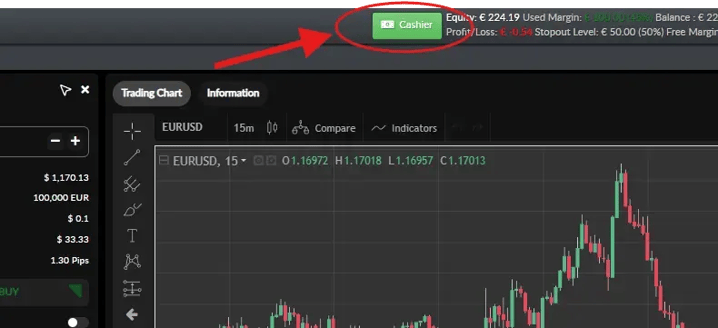
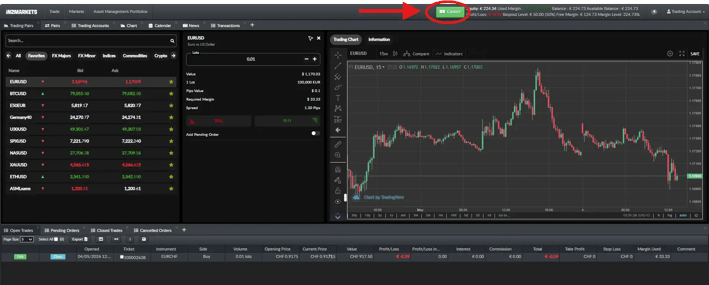
First log in to your In2Markets account. This will take you to the main screen (see image below).
At the top of the screen you will see a green button with the text "Cashier".
Step 2: Choose your payment method
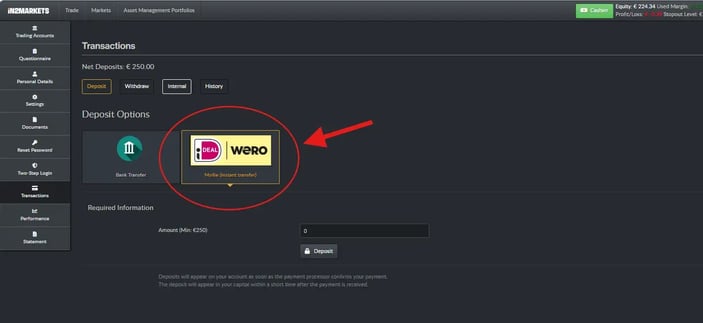
You are now in the payment environment. You will see two ways to make a transfer:
Choose iDEAL/Wero: Your transfer will go directly through your own bank. The balance is immediately available on your account.
If you prefer to make a manual transfer, choose Bank Transfer. Fill in the details and click on "notify". You will then receive an e-mail with all transfer details.
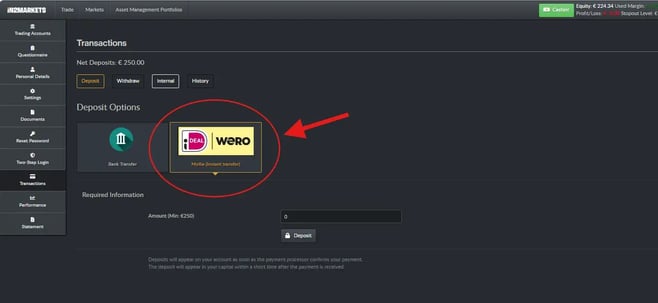
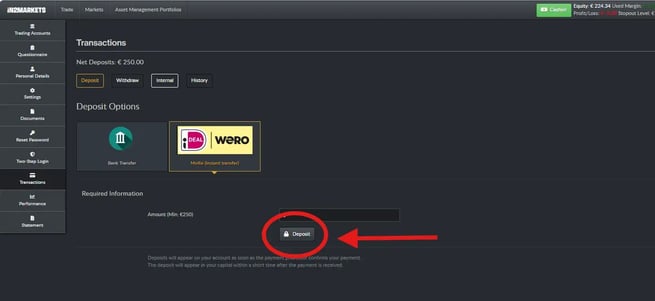
We recommend iDEAL/Wero because it is faster and easier. Click on the yellow box with "iDEAL Wero" (see the red circle in the picture).
Step 3: Enter the amount
A new box now appears at the bottom of the page. Here you enter how much you want to transfer.
Type in the amount (for example, 5000 if you want to make a transfer of €5,000). Do not use periods on commas, only numbers.
Note that the minimum amount is €250.
Step 4: Click on "Deposit".
Have you entered the amount? After checking, click the "Deposit" button with the little lock in front of it (see red circle on the image).
The lock means the connection is secure.
Step 5: Complete your payment
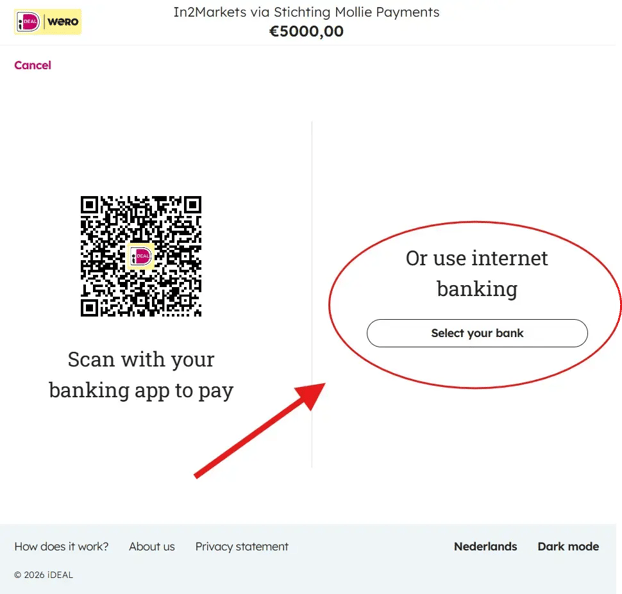
You will now beredirected to the iDEAL payment environment. This is the same environment you know when you buy something online.
You have two options:
A. Pay with your banking app on your cell phone
Grab your cell phone, open your banking app, and scan the QR code on your computer screen.
B. Pay using online banking on your computer
Click on the white "Choose your bank" button (see red circle to the right of the image). Choose your bank from the list and log in as you normally would.
Then follow your bank's steps to approve the transfer of your chosen amount.
Done! What happens next?
Have you approved the transfer in your banking app or at your online banking environment? Then you will automatically return to the In2Markets website.
The amount is immediately available in your account.
You will see your new balance at the top of the screen, next to the word "Equity."
And now what?
You can invest with your balance in two ways:
Self Investing: You trade independently via our trading platform.
Asset Management: We manage the balance according to one of our strategies.
→ View our Asset Management manual
Not sure which option suits you? Call us at +31 20 303 95 63. We will be happy to guide you in your choice.